Why Raycast Is the Only App Every Mac User Needs
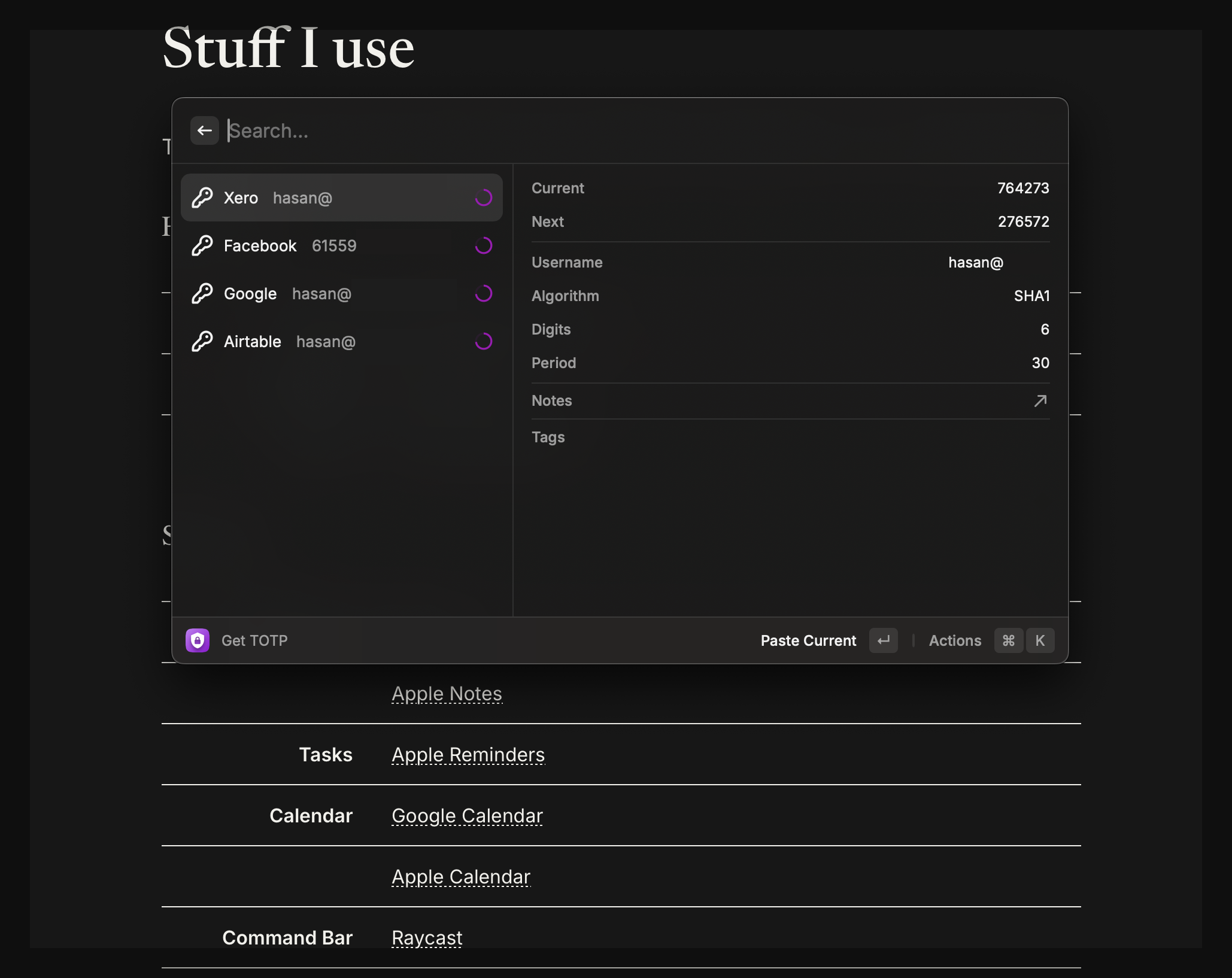
My screen when someone asks “How did you do that so fast?”
Let me paint you a picture: You’re in a meeting, sharing your screen, and suddenly need to log into Xero. While your coworkers fumble with Authy, you paste your 2FA code before they even find their phone. That’s the Raycast life. Here’s why this app has ruined me for all other launchers-and how to steal (some) of my setup.
1. Slack Super Simple (⌥ + K)
Forget ⌘ + Tab gymnastics. My ⌥ + K shortcut pulls up any Slack channel instantly using the Slack extension. Just remembered I had that thing saved in my chat. ⌥ + K and you’re there.
2. 2FA Without the Rage (Ente Auth)
Authy feels so dated after this. With Ente Auth in Raycast:
- Hit your shortcut
- Paste the code
Too EZ
3. Schedule Always Prepared (⌘ + Space)
I’ve got my next meeting pinned to the menu bar, but ⌘ + Space brings it front and center. Just a good way to know whats coming up.
4. Inbox Zero More Often Than not (⌘ + ⇧ + U)
Gmail’s “Unread” view mapped to U for “unread” (or “ugh”). Cold email? Archived before it clutters your inbox.
5. Jira Tickets In A Pinch
Bug report? Feature request? The Jira extension lets me create tickets before the complaint finishes leaving their mouth. With Raycast’s new @AI, it can do soooo much more.
6. Todo Lists That Don’t Suck
Forget bloated apps. My Raycast todo list is where small tasks go to either:
✅ Get done immediately
🗑️ Get deleted when I realise they don’t matter
No notifications, no guilt - just a clean conscience.
7. Internet Speed Tests (Becuase)
“Is the Wifi slow or am I just impatient?” The Speedtest knows. One click now you know.
8. Clipboard History (⌘ + ⌥ + V)
This ideally should be number 1 but I use it so often I forget its not built into MacOS.
Why This Beats Spotlight
- No need for app switching: Everything lives in one place
- Custom shortcuts: Muscle memory
- Endless tinkering: I’m always finding new ways to save time
Bottom line: If you’re not using Raycast, you’re missing out!
Get Raycast here (not sponsored, just don’t want you to suffer fr).